Multimedia Equipment Lending
Use the WebCheckout System to reserve any production gear, including hard drives, edit workstations and studio space. Below is a link to the portal + info on hours and pick up. Please note, equipment requests outside of our posted hours will not be processed.
- Reserve Gear Here: https://uconnequipmentreservations.webcheckout.net/sso/patron#!/
-
- Hours: Monday -Thursday 10am-4:30pm; Friday 11-3pm
-
- Location: Pick Up/Drop Off in Journalism Main Office - SHH 468
-
- Reservations are recommended, but walk-ins are welcome.
Adobe Creative Cloud Software
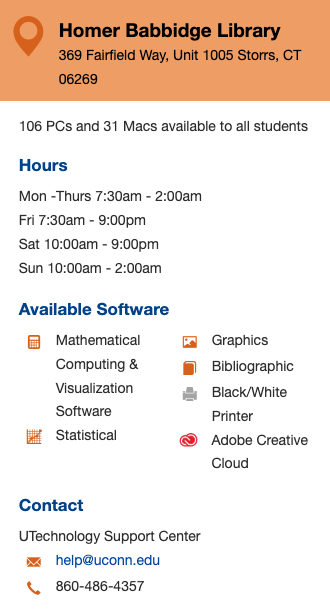
UConn offers two forms of Adobe Licenses: a user license - for individual users; and a device license - for shared computers with multiple users. UConn Journalism computer labs are currently set up with device licenses, allowing anyone with a UConn email to log in.
If students would like to use Adobe apps on their personal machines, they will need to purchase a user license. Its $55 per year for students, as opposed to the $136 cost per year for faculty and staff. The student license can be purchased here: https://software.uconn.edu/adobe-products-students/
Both licenses require users to create a free Adobe Cloud account if they do not have one already. They will be prompted to either log into their creative cloud account, or to create one when they open Premiere, or any Adobe app.
To log into any Adobe App on the Journalism Department lab machines:
Open the Adobe app, and type in uconn.edu in the email address section, and select continue. This will direct users to the UConn Single Sign on page where they can then complete their log in using their UConn email address and NetID password.
Library Access
Video and Image Libraries/Sources
-
AP Images on EBSCO (Updated Monthly)
Photos from the Associated Press's 50 million image print and negative library.
-
Artstor
Image resource in a wide array of subjects. Freely available public collection. -
Creative Commons (CC) Search
Search for free content in the public domain and under Creative Commons licenses. -
Digital Public Library of America
DPLA provides free public access to digital images, videos, and audio files. -
Flickr Creative Commons
Millions of photographs shared by Flickr users under Creative Commons licenses. -
Google Image Search
Once you do your search, click on the box labeled "Tools." to view "Usage rights." -
Internet Archive: Moving Images
Includes classic full-length films, news broadcasts, cartoons and more. Many are available for free download. -
Library of Congress Prints & Photographs Online
Images from the Library of Congress, now in the public domain. -
New York Public Libray Digital Collections
Includes prints, photographs, maps, manuscripts, streaming video, and more.Open Access at The Met
Over 492,000 images of public-domain artworks, available for free and unrestricted use.Openverse
Search through an extensive library of free stock photos, images, and audio, available for free use. -
Pexels
Thousands free stock photos high resolution photos uploaded by users or sourced from free image websites. -
Public Domain Project
Thousands of historic media files provided completely free and made available by Pond5. -
Smithsonian Open Access
Download, share, and reuse millions of the Smithsonian’s images. -
Unsplash
This community-sharing site offers free and downloadable high-resolution images. -
USAGov: Images
Extensive collection of photos and images from the U.S. Government, many of which are in the public domain and free to use. -
Vimeo
This video-sharing website has a smaller user base than YouTube, but they win in video quality -
YouTube
It is the largest video-sharing site where you can upload, edit, and share your own videos. -
Wellcome Collection
Thousands of freely licensed digital books, artworks, photos and images of historical library materials and museum objects. -
Wikimedia Commons
Historical and contemporary images contributed by participants.
Audio Sources
-
Creative Commons (CC): Legal Music for Videos
Songs under CC licenses, which give you the legal right to use music in videos.
-
Offers free downloads under Creative Commons and other licenses.
-
Browse and download free sound effects for your project.
-
A collaborative database of Creative Commons Licensed sounds.
-
Internet Archive: Audio Archive
Recordings include alternative news programming, concerts, and more. -
Thousands of pages of free resources for multimedia producers.
Tutorial: Adobe Premiere Basics Playlist
- Ep 1: File Structure and Importing Footage
- Ep 2: Setting Up a Sequence
- Ep 3: Workspace Tour + Basic Editing
- Ep 4: Fine Tuning Video Clips + Adjusting Audio
- Ep 5: Adding Transitions and Color Correction
- Ep 6: Export Settings
Other Tutorials: